4K, 8K and HDR Streaming – Why Better Pictures Are Hard to Deliver
The gap between what the screen can do and what actually arrives is the subject of this article. It explains what 4K, 8K, and HDR mean, then walks through the technical and practical challenges of delivering them over the internet, and what viewers and services can do about them.
Television manufacturers and streaming services have spent years promising sharper, brighter, more lifelike pictures. Yet many viewers with a 4K television still see a soft picture, a sudden drop in quality, or an HDR label that looks dull. The gap between what the screen can do and what actually arrives is the subject of this article. It explains what 4K, 8K, and HDR mean, then walks through the technical and practical challenges of delivering them over the internet, and what viewers and services can do about them.
What 4K, 8K and HDR Actually Mean
These three terms describe different things, and mixing them up causes much of the confusion. Resolution describes how many pixels make up the picture. Dynamic range describes how wide the gap is between the darkest and brightest parts of the image and how many colors can be shown. A video can have one without the other, and each adds its own burden to the stream.
Resolution: 1080p, 4K and 8K
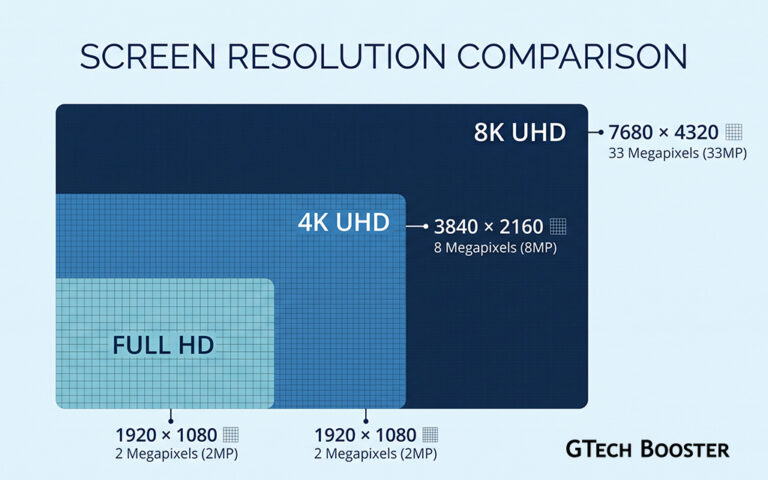
A full HD picture is 1920 by 1080 pixels, about two million in total. A 4K picture, also called Ultra HD, is 3840 by 2160, about eight million pixels, or four times as many. An 8K picture is 7680 by 4320, about thirty three million pixels, which is four times as many as 4K and sixteen times as many as full HD. More pixels means more detail, but also far more data to store, compress, and send for every frame.
HDR: A Wider Range of Brightness and Color
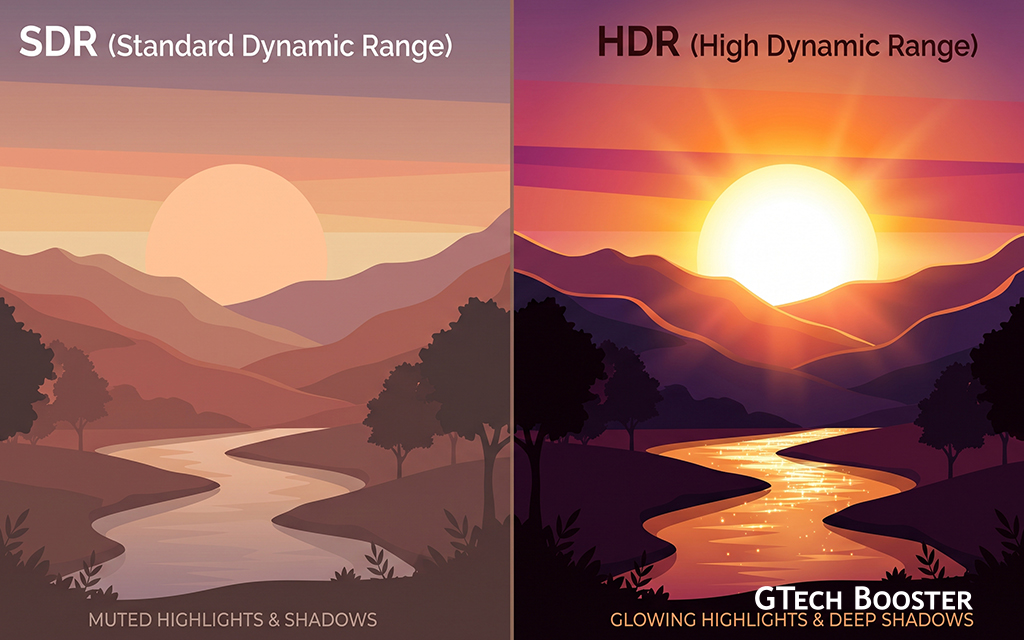
HDR stands for high dynamic range. Standard dynamic range video is limited in how bright the highlights can be and how deep the shadows can be. HDR allows much brighter highlights, such as sunlight on a car or a streetlight at night, while keeping detail in dark areas, and it uses a wider palette of colors. To do this it usually uses 10 bits per color channel instead of 8, which avoids visible banding in gradients such as skies. HDR does not add pixels, but it adds information to each pixel, and it adds rules about how a screen should display that information.
The Main HDR Formats
Several HDR formats exist, and they are not all compatible with every device. HDR10 is the common baseline and uses fixed settings for the whole video. HDR10 Plus and Dolby Vision add dynamic metadata, which lets the picture be tuned scene by scene or even frame by frame. HLG, or hybrid log gamma, was designed mainly for broadcast and live sports and can work on both HDR and non HDR screens. A television that supports only some of these formats will convert or ignore the rest, which is one reason the same show can look different on different sets.
Challenge One: The Bandwidth Problem
More pixels and more picture information mean more bits. Streaming services compress video heavily, but there is a limit to how far compression can go before quality suffers.
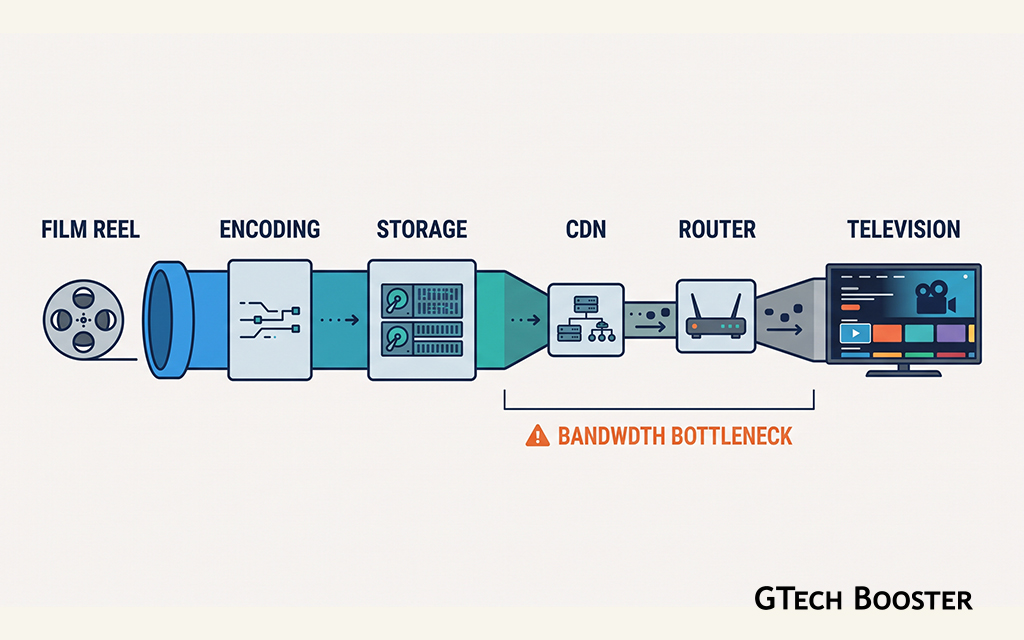
Published guidance from several streaming speed reports puts the sustained requirement for a 4K stream around 15 to 25 megabits per second per stream. One report states that Netflix recommends 15 Mbps for 4K and treats 25 Mbps as a stated minimum, that YouTube 4K varies from roughly 15 to 50 Mbps depending on the content and codec, and that HDR and Dolby Vision content can need extra headroom and sometimes spike above its nominal figure. A household watching on more than one screen multiplies the need.
| Connection speed | What it comfortably supports (per one report) |
|---|---|
| 25 Mbps | One 4K stream, borderline for a busy household |
| 50 Mbps | Two 4K streams plus one HD stream |
| 100 Mbps | Four simultaneous 4K streams |
These are guidelines and not guarantees, because real speeds drop at busy times, over Wi-Fi, and on shared connections. The same report advises planning around your connection’s slowest typical speed, not its average, since adaptive streaming will quietly lower the quality when the connection dips.
Why Eight K Raises the Stakes Further
Eight K roughly quadruples the pixels again. One infrastructure guide estimates that 8K video needs around 50 to 100 Mbps with HEVC compression, or about 30 to 60 Mbps with AV1, and says only fiber and 5G connections can reliably deliver that to consumers. For much of the world, including regions where fixed broadband is limited or expensive, that remains out of reach for ordinary households.
Challenge Two: Compression and Codecs
A codec is the method used to shrink video for delivery and expand it for display. Better codecs deliver the same quality at lower bitrates, which is the main tool for making 4K and HDR practical.
The older H.264 codec is too inefficient for 4K and 8K. Most 4K streaming relies on HEVC, also called H.265, and increasingly on AV1, an open codec. One 2026 review estimates AV1 is roughly 30 percent more efficient than HEVC at the same quality, though academic measurements it cites show a narrower range of 30 to 40 percent against HEVC, with smaller savings at lower resolutions. It reports that Netflix said AV1 accounted for about 30 percent of its streaming by December 2025.
The Catch With Newer Codecs
Better compression comes at a cost. Encoding AV1 takes far more computing power than older codecs, which raises the cost of preparing a large library. The same review notes that around 80 percent of consumer streaming devices can decode AV1 in hardware, but older or lower cost phones, televisions, and some Apple devices cannot. That forces services to prepare several versions of the same video for different devices, and some of them may rely on slower software decoding that drains batteries. Patent licensing disputes add further uncertainty around some codecs.
Challenge Three: Preparing and Storing the Video
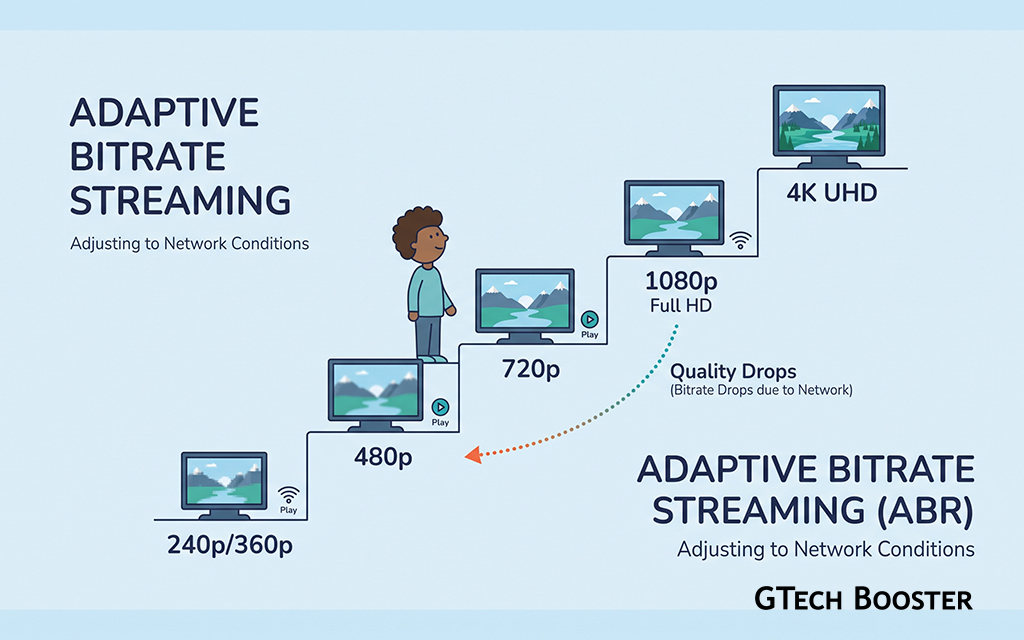
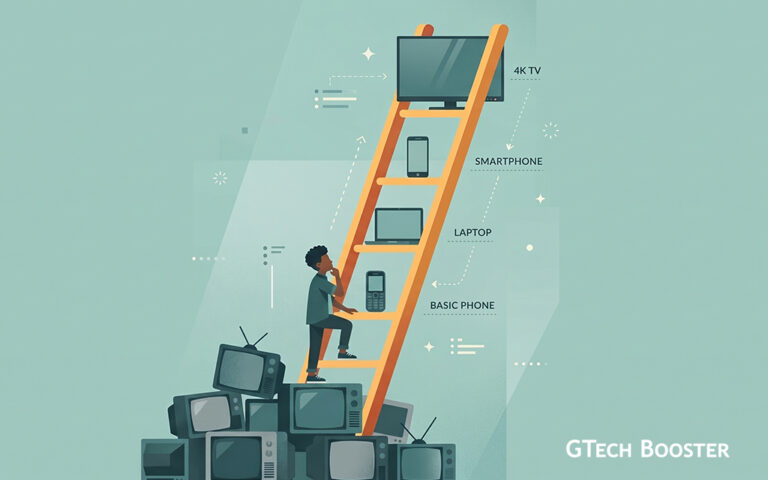
Every video must be encoded in many versions before it is streamed. A service creates a ladder of quality levels, each at a different resolution and bitrate, so that the player can switch between them as network conditions change. Adding 4K, HDR, and sometimes 8K, along with multiple codecs and multiple HDR formats, multiplies the number of versions to create, test, and store.
For 8K the burden is steeper. The infrastructure guide estimates that encoding 8K takes eight to sixteen times the computing power of 4K, and that raw 8K footage at 60 frames per second can run to several terabytes per hour. Live events are harder still because encoding must happen in real time. This is one reason most services keep 4K as their top tier and treat 8K as a niche.
Challenge Four: Delivering It to Millions of Viewers
Streaming services use content delivery networks, large systems of servers placed close to viewers, to deliver video. Higher quality means more traffic through those servers, higher bills for the service, and heavier load on the networks that carry it. Internet providers can also struggle at peak times when many households stream 4K at once. When a link gets congested, the player lowers the quality, which viewers experience as a sudden drop from sharp to soft.
Challenge Five: Adaptive Streaming and the Quality Dips
To keep video playing smoothly, players use adaptive bitrate streaming, switching between the quality levels in the ladder as the connection changes. This is why a movie might start soft and sharpen after a few seconds, or drop to HD mid scene. For 4K and HDR the gap between rungs is larger, so a switch is more noticeable, and a connection that cannot sustain the top rung may never reach 4K at all even though the television shows a 4K badge.
On mobile networks, the effect is stronger. Signal strength changes as people move, and data limits and costs discourage high quality streaming for many users, which is why services often default to lower resolutions on cellular connections.
Challenge Six: The Home Equipment Chain
Even after the stream arrives, several pieces of equipment must cooperate. The television must support the HDR format used. The streaming app or device must support it too. Cables and ports matter, since HDR at 4K and high frame rates needs an HDMI connection and cable that can carry enough data, and copy protection requirements must be satisfied end to end. If any link in the chain fails, the picture quietly falls back to a lower standard, and the viewer may not be told.
HDR Quality Varies Between Screens
An HDR label does not guarantee a good HDR picture. Televisions differ greatly in peak brightness, contrast, and how well they handle dark scenes. A bright, well built set can show highlights that make HDR striking. A budget set that accepts an HDR signal but cannot reach high brightness must compress the picture to fit, and the result can look flatter or darker than the standard version. Settings such as motion smoothing and energy saving modes can make this worse. Dark scenes are also where compression artifacts, like blocky shadows, show most.
Challenge Seven: Content and Viewing Reality
Hardware is not useful without content. Many programs are still produced and mastered in lower resolutions, and only part of any catalog is available in 4K HDR. For 8K the shortage is severe, and one source estimates that only about 2 to 5 percent of television households would own an 8K set by 2026. The same source does not quantify how much extra detail 8K adds on typical living room screens.
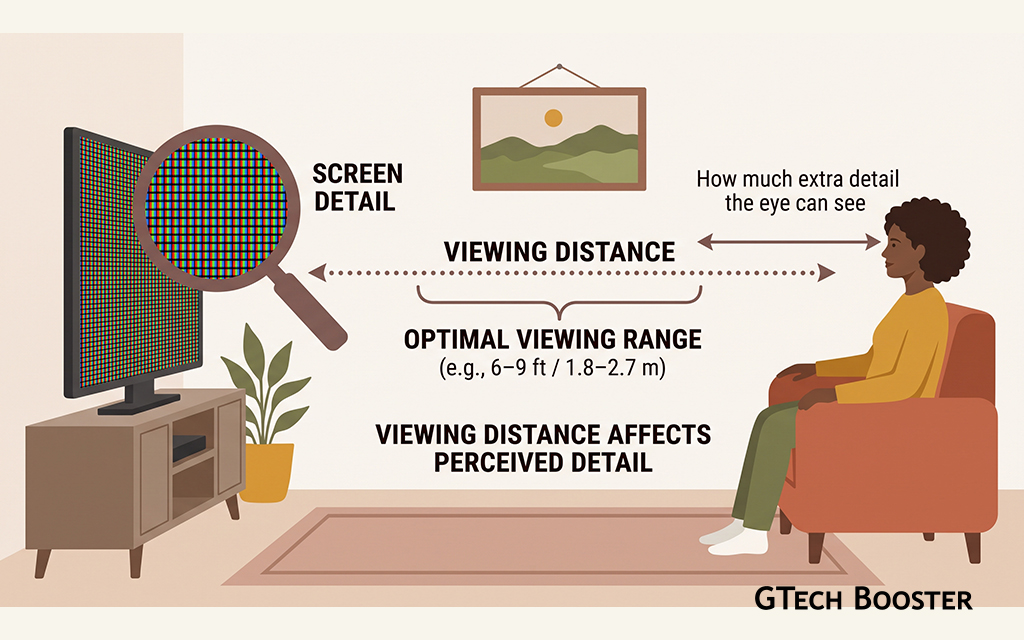
That question matters because the benefit of more pixels depends on screen size and viewing distance. On a typical television seen from a normal sofa distance, the eye can resolve only so much, and many viewers find HDR and good encoding improve the picture more than the jump from 4K to 8K.
What Viewers Can Do
There are practical steps that improve the experience without buying new equipment. Test your connection at different times of day and plan for the slowest result. Connect the television or streaming device by cable where possible instead of relying on Wi-Fi. Use a premium plan if the service restricts 4K to certain tiers. Check that your television, app, and HDMI cable support the format you expect. Review picture settings, since a movie or cinema mode often shows HDR more faithfully than a vivid mode. Reduce competing traffic by pausing large downloads while you watch.
What Services and Developers Are Doing
Streaming companies keep working on the problem from several directions. They adopt more efficient codecs, tune encoding for each title instead of using one fixed ladder, improve how the player decides when to switch quality, place servers closer to viewers, and offer lower bitrate versions that remain good looking. As hardware support for efficient codecs spreads, the cost of high quality delivery should gradually fall.
Wrapping up
4K, 8K, and HDR each ask more of the entire delivery chain. More pixels need more bandwidth, more storage, and more computing power to encode. HDR adds information and format complexity, and depends heavily on the quality of the screen. Better codecs such as HEVC and AV1 help, but they raise encoding costs and device compatibility questions. Adaptive streaming keeps playback smooth by lowering quality when the network struggles, which is why the sharpest picture often is not the one you actually receive.
For viewers, the useful takeaways are that the connection, the device, and the settings all matter as much as the label on the box, and that 4K with good HDR on a decent screen is, for most people, a larger improvement than 8K. As codecs improve and networks expand, the gap between promise and delivery should narrow, but it is unlikely to disappear soon.
More Information ℹ








Conversation
Login to comment.
Log In / Register