Why is Gmail Categories now Tied to Smart Features and Personalization

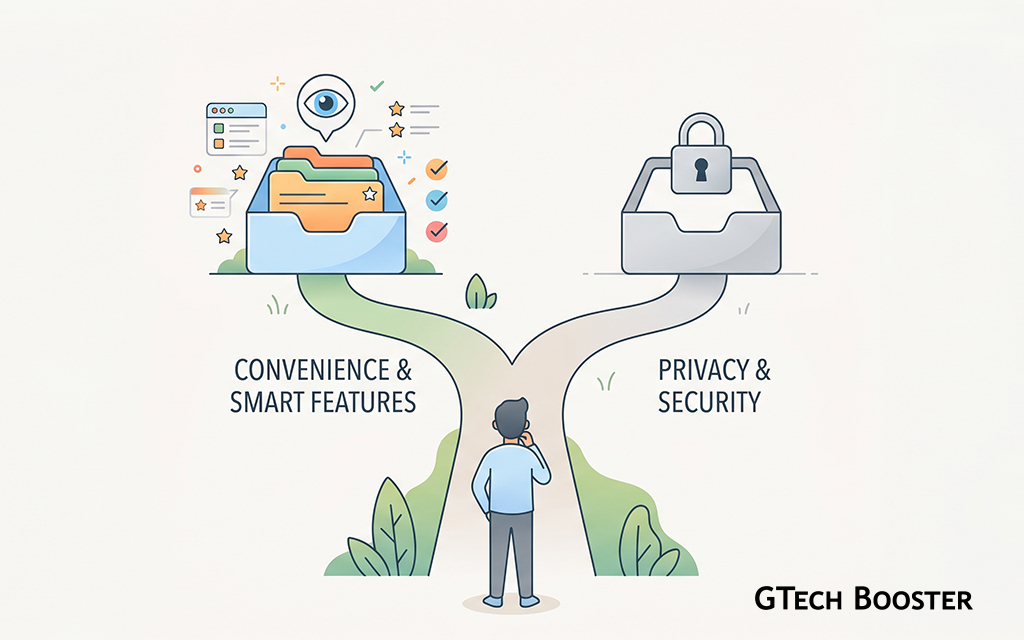
A growing number of Gmail users have run into the same puzzling experience. The familiar Primary, Social, Promotions, Updates, and Forums tabs at the top of the inbox are gone, or the option to switch them on is greyed out, or the checkboxes refuse to save. When they go looking for a fix, the path leads to a setting called smart features and personalization, and the message is effectively that the categories will only return if that setting is switched back on.
To many people, this feels like being penalized. A feature they have used for years appears to have been taken away, and the price of getting it back is agreeing to let Google’s systems process their email content in a broader way. This article explains what is actually happening, what Google has said about why, and why the arrangement has drawn criticism. It assumes that “categories” here means Gmail’s inbox category tabs, which is where this behavior is most widely reported.
First, What Are Smart Features and Personalization?
Smart features and personalization is a single account level setting that controls whether Google may use data from products like Gmail, Chat, and Meet to power automated features. Google introduced it as a clearer, single choice in 2020, alongside its Privacy Checkup tools, after regulators and user research pushed toward more understandable choices about data processing.
When the setting is on, features that depend on reading and analyzing message content are allowed to run. Google’s own examples have included the tabbed inbox, Smart Compose, and Smart Reply in Gmail, along with things like bill reminders and restaurant reservation suggestions in other Google products. When the setting is off, those features stop working. That is by design, and it is the root of the situation people are now describing.
Why Categories Belong in That Bundle
Sorting an email into Promotions rather than Primary is not a simple rule like “sender is on a list.” It requires software to read the content and characteristics of each message and decide what kind of message it is. Google’s position is that this kind of automated analysis is exactly what the smart features setting governs. Turning the setting off tells Google not to run that analysis, and without the analysis there is nothing to sort the mail into tabs.
So the categories do not vanish because someone at Google flipped a switch against existing users in particular. They vanish because the feature was classified, at the design level, as one that depends on the data processing the user just declined.
Why It Feels Like a Downgrade
Even if the technical logic holds together, the experience for users can still feel unfair, and the reasons are understandable.
The Feature Used to Feel Like a Basic Part of Gmail
The tabbed inbox arrived in 2013 and became part of how many people read their mail. For years it simply worked, without anyone thinking of it as an optional artificial intelligence feature. When the same feature is later described as dependent on a data consent, it can feel as though something that was always part of the product has been relabeled as a premium of sorts, payable in privacy.
The Trade Is Not Spelled Out in Everyday Language
The setting is named in broad terms, and the consequences of switching it off are scattered across menus and help pages. Many users who turned it off did so for privacy reasons, for example to reduce data use or to opt out of AI related processing, and only discovered later that categories were part of what they gave up. Anyone who disables a setting expecting a narrow effect and then loses a feature they relied on is likely to feel misled, whether or not that was the intent.
Recent AI Attention Raised the Stakes
As Google has added more generative AI across Gmail and Workspace, public attention on what smart features actually permit has grown. Users who might have ignored the setting a few years ago are now actively switching it off out of concern about their messages being used by AI systems, and are then hitting the category problem. This has made an old coupling suddenly feel new and more consequential.
What Google Says
Google has said consistently that smart features run on automated algorithms rather than human review, that ads shown in Gmail are not based on personal Gmail content regardless of the setting, and that people can still use Gmail normally if they opt out. The company has also described the single setting as a way to simplify what had been a confusing collection of separate controls.
In the related case of Google Drive, where Gemini powered smart features were switched on by default for paying subscribers, a Google spokesperson said they are enabled by default so people can use the value they purchased immediately. That statement is about Drive, not Gmail categories, but it reflects the same general approach of treating smart features as a default part of the product that users can later turn off.
I was not able to find an official Google statement saying the category tabs were deliberately restricted as a way to push users into turning smart features on. The documented explanation is technical dependency, not coercion as a goal.
The Criticism
The criticism does not usually depend on proving bad intent. It rests on a design question.
Is the Link Truly Necessary?
Critics argue that grouping many different features under one switch means a person who objects to one use of their data, such as AI features, must also give up unrelated conveniences. They point out that some sorting could in principle be done in a more limited way, and that users should be able to keep a core inbox feature without opting in to everything else the setting covers. Whether that is technically feasible at Gmail’s scale is debated, and Google’s position is that classification inherently needs the same processing.
Consent That Is Tied to Access
Data protection thinking in many jurisdictions holds that consent is most meaningful when it is freely given, and that making a service or a feature conditional on consent that is not strictly needed for that feature can undermine that freedom. Applied here, the question people raise is whether tying a long standing inbox feature to a broad data processing choice leaves users with a real choice, or with a choice shaped by what they stand to lose. This is a general principle and an open argument, not a finding that Google has broken any rule.
The Possibility of Future Expansion
Some commentators worry that once features are bundled under one consent, additional features can be added to the bundle over time, gradually raising the cost of staying opted out. This is a concern about direction rather than a documented plan, and should be read as such.
What You Can Do
Anyone affected has a few realistic options, and each involves a trade.
Turn the Setting Back On
This restores the categories, along with other smart features such as Smart Compose and Smart Reply. It means accepting the data processing the setting covers, so it is worth reading what the setting describes before deciding.
Stay Opted Out and Organize Manually
Without smart features, Gmail still supports labels and filters, which let you route mail by sender, subject, or keywords into your own folders. It takes setup, but it gives you sorting that does not depend on the smart features setting.
Check Whether Something Else Is the Cause
Not every missing tab comes from this setting. Categories can also disappear because the inbox type has been changed from Default to something like Priority Inbox, because a Workspace administrator has restricted the feature, or because a filter is overriding where mail lands. Checking these first can save a lot of frustration.
Use the Privacy Controls That Remain
Reviewing data retention, ad personalization, and what other Google settings are enabled gives you additional control even if you choose to keep smart features on.
Give Feedback
Google uses feedback to decide how settings are structured. If you believe categories should be separable from the broader smart features switch, saying so through the product’s feedback tools and, where relevant, to your data protection authority, is how that view reaches the people who can change the design.
Bringing It All Together
Gmail’s inbox categories stopped working for people who turned off smart features and personalization because Google has decided to gallop around technicality to force more users that had disabled it long ago and categories worked fine to now explicitly allow further processing of their mails into the categories at the price of bundling the feature along with other features that enables Google to do just alittle more than that behind the technicality of built the tabbed inbox as one of the features that depend on that setting. From a technical standpoint, sorting mail into categories requires analyzing message content, which is precisely what the setting controls. That said, it can be equaly done in a manner that keeps the oldway consistent. From a user standpoint, it can feel like a feature was taken away and held back until consent was given, especially when the connection was not clearly explained at the moment of switching the setting off.
What the evidence supports is a design choice with real trade offs, it does also support a confirmed plan to pressure existing users. What critics reasonably ask is whether that design leaves people with a genuine choice, and whether a more granular approach is possible. Until Google changes how the setting is structured, anyone who wants the categories back has to decide for themselves whether the convenience is worth the data processing that comes with it.
More Information ℹ
















Conversation
Login to comment.
Log In / Register