MoMo Transfer Limits Explained
Confused by MoMo limits? This guide explains daily, monthly and balance limits for Minimum, Medium and Enhanced KYC wallets in Ghana, how to check yours, and how to upgrade.

Why limits exist and why you should care
Every mobile money wallet has ceilings on how much money it can hold and move. You usually discover them at the worst moment, such as when a rent payment fails, a supplier cannot receive your money or a transfer is rejected for “exceeding your limit”. Limits are not a punishment or a glitch. They are rules set by the regulator to reduce fraud and money laundering and to keep the system safe. Once you understand the three kinds of limits and which one applies to you, you can plan payments properly, upgrade your wallet before you need to and avoid embarrassing failures. This guide uses Ghana as the main example, since MoMo rules there are set by the Bank of Ghana. Figures are the latest I could confirm and can change, so always verify with your provider before a large payment.
The three limits you need to know
People often say “my MoMo limit” as if it were a single number. In reality there are three separate limits, and any one of them can block a transaction.
The daily transaction limit
This is the total value you can send or receive within one day. It is usually counted across transfers, withdrawals and payments together, and it resets each day. If your daily limit is GH¢3,000 and you have already moved GH¢2,800, a further GH¢500 transfer will fail even though your balance is sufficient.
The monthly transaction limit
This caps the total value passing through your wallet in a calendar month. It matters mainly for the lowest wallet level. Higher levels currently have no monthly cap, but the figure can be reviewed by the regulator.
The maximum wallet balance
This is the most money your wallet can hold at any moment. If the balance limit is GH¢5,000 and your wallet already holds GH¢4,800, a person sending you GH¢1,000 will see their transfer fail, because your wallet cannot accept it. Many people forget that this limit affects incoming money too.
How wallet levels (KYC tiers) decide your limits
Your limits depend on how thoroughly your identity has been verified. This verification is called KYC, short for “Know Your Customer”. The more the provider knows and has confirmed about you, the higher the limits you are trusted with.
Minimum KYC
This is the basic level, usually obtained when you register a SIM or open a wallet with limited identity details. It carries the lowest limits and suits light, everyday use such as small transfers and airtime.
Medium KYC
This level requires stronger identification and is intended for people who use their wallets regularly for bills, school fees and business payments. Limits are much higher.
Enhanced KYC
This is the top personal level, for customers who have completed fuller verification. It carries the highest personal limits and suits people with heavy usage, such as small business owners.
The current figures in Ghana
The Bank of Ghana revised the limits upward with effect from March 1, 2024. Daily transaction limits rose to GH¢3,000 for minimum, GH¢15,000 for medium and GH¢25,000 for enhanced KYC accounts, while maximum balances rose to GH¢5,000, GH¢40,000 and GH¢75,000 respectively. For monthly transactions, the minimum account is capped at GH¢10,000, while medium and enhanced accounts remain without a monthly limit. Here is the same information in one place:
| Wallet level | Daily limit | Monthly limit | Maximum balance |
|---|---|---|---|
| Minimum KYC | GH¢3,000 | GH¢10,000 | GH¢5,000 |
| Medium KYC | GH¢15,000 | No limit | GH¢40,000 |
| Enhanced KYC | GH¢25,000 | No limit | GH¢75,000 |
These figures come from the regulator and apply to wallets under the main providers, including MTN MoMo, Telecel Cash and AirtelTigo Money, since all follow the same Bank of Ghana framework. Providers may announce changes, so treat the table as a guide and confirm your own limits through your network.
Limits for merchants and agents
Business wallets follow a different structure from personal wallets, and mixing them up causes confusion.
Merchant accounts
Merchant wallets are tiered according to the paperwork the business provides. Reports on the regulator’s merchant rules say Tier 1 merchant accounts are for micro businesses such as street vendors and have a balance cap of GH¢5,000 and a monthly cap of GH¢10,000. Higher tiers need more documents, such as a tax identification number or company registration, and allow far larger balances with no monthly cap. If you accept payments for a business, check that your account type matches the volume you expect.
Agent wallets
Agents who handle cash for customers have their own much higher limits. When MTN revised its limits in 2024, it also raised agent limits across four tiers, with daily limits for higher tiers reaching into the millions. These do not apply to ordinary customers, so do not expect an agent’s flexibility on your personal wallet.
How to check your own limits
You should know your limits before you need them, rather than finding out when a payment fails.
Use your provider’s menu
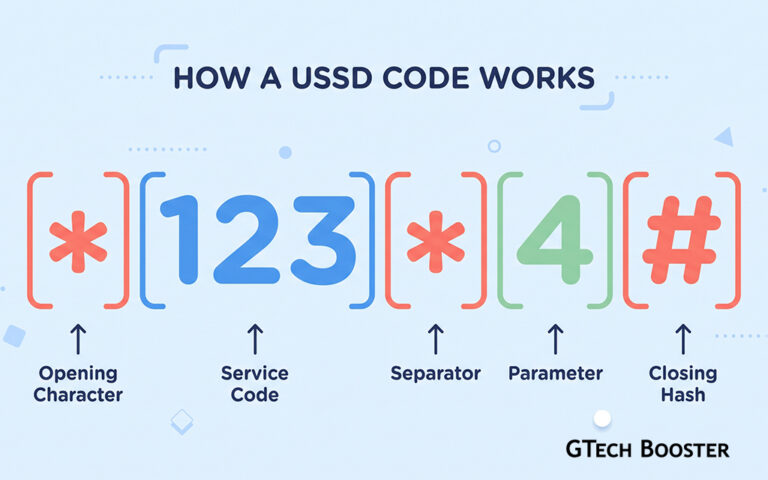
On MTN, the USSD menu has traditionally offered a wallet limit option under the account or wallet section, which shows your daily and monthly limits and how much you have already used. One guide describes dialling *170#, choosing My Wallet and then the option to check wallet limit before entering your PIN. Menu numbers can change, so follow the options on screen. Telecel and AirtelTigo have similar self-service menus and apps.
Ask customer care or visit a service centre
If you cannot find the option, call your provider’s official customer care line or visit a service centre. Ask which KYC level your wallet is on and what its daily, monthly and balance limits are. Take your Ghana Card with you in case they need to verify you.
How to raise your limits
If your needs have outgrown your wallet, you can ask for an upgrade by completing a fuller level of verification.
Documents you may need
Providers commonly ask for your Ghana Card and sometimes supporting proof of address or income. MTN has listed documents such as a utility bill in your name, a bank statement, a registered tenancy agreement, a letter from your employer or a tax certificate for customers wanting enhanced limits. Requirements differ by provider and over time, so confirm the current list before you go.
Steps to follow
First, confirm your current level using the menu or customer care. Second, ask which level you need for your expected usage. Third, gather your identification and supporting documents. Fourth, visit a service centre or follow the provider’s official in-app process, and keep any reference number you are given. Upgrades can take from a few minutes to several days, so do not wait until the day of a big payment.
What happens when you hit a limit
Knowing what the system does helps you stay calm and avoid mistakes.
Failed transfers and what you see
When a limit is exceeded, the transaction is declined and you normally receive a message saying it failed. The money should stay in your wallet. Check your balance and your transaction history to confirm that nothing was debited. If money left your wallet but the receiver did not get it, contact your provider with the transaction ID.
When the receiver’s limit is the problem
A transfer can fail because the person receiving it has reached their own daily or balance limit, even if your limits are fine. If this happens, ask them to check their wallet, withdraw or spend some of the balance, or upgrade their account, then try again.
Smart ways to work around limits legitimately
Limits are firm, but there are honest ways to manage large payments.
Spread payments across days
If your payment is larger than your daily limit, you can send part today and the rest tomorrow, provided the receiver is happy with this. This is a practical solution for rent or supplier payments.
Use other payment channels for large sums
For very large amounts, bank transfers, cheques or bank to wallet services may be more suitable than MoMo. Choose the channel designed for the size of payment you are making.
Do not split payments to hide activity
Breaking up transactions to avoid detection, or using other people’s wallets to move your money, can look like fraud or money laundering and may lead to frozen accounts. Stay within the rules and upgrade your account instead.
Common mistakes to avoid
A few predictable errors cause most limit problems.
Forgetting that the limit includes withdrawals and payments
Many people think only transfers count. In most cases, cash outs, bill payments and merchant payments also count toward the daily total, so a day of mixed activity can use up your limit faster than expected.
Leaving large balances in the wallet
A mobile wallet is for moving money, not for storing savings. Keeping large amounts in it also raises your risk if your SIM or PIN is compromised. Move excess funds to a bank account or savings product.
Trusting unofficial limit upgrades
Scammers offer “instant limit upgrades” for a fee and ask for your PIN. Real upgrades are done through your provider’s official channels and never require you to hand over your PIN or send money to a stranger.
A quick checklist before a large payment
- Check your daily limit and how much you have already used today
- Check that your balance is within your maximum wallet balance
- Confirm that the receiver’s wallet can accept the amount
- Allow for transfer fees when working out the total
- If the amount is above your limit, upgrade early or split the payment across days
- Keep the transaction message and ID as proof
Final thoughts
MoMo limits are simple once you separate them into the daily, monthly and balance limits and connect them to your KYC level. Find out which level you are on, compare it with how you actually use your wallet, and upgrade before your needs outgrow it. Remember that the receiver has limits too, that rules can be revised by the regulator, and that your provider is always the final authority on your current figures.









Conversation
Login to comment.
Log In / Register