Telecel Cash wrong transfer
Sent Telecel Cash to the wrong number? Learn how self-reversal works, what to do through the menu, the app and customer care, how long it takes, and how to avoid repeating the mistake.

You meant to pay one person and your money went to another. It happens to nearly everyone who uses mobile money: a digit typed wrongly, a contact picked from the wrong line, a rushed payment in a noisy place. The first thing to know is that Telecel Cash lets you try to fix it yourself, and you do not always have to wait on a phone line. The second thing to know is that speed matters. This explainer walks you through what a wrong transfer is, which reversal routes exist, what you need to have ready, how long things take and what to do if the reversal does not work.
What counts as a wrong transfer
Not every regretted payment is a “wrong transfer”, and the difference affects which route you should use.
Sent to the wrong person
This is the classic case. You typed the wrong number, or chose the wrong contact, and the money landed in a stranger’s wallet.
Wrong amount
You sent GH¢500 instead of GH¢50, or added an extra zero. The right person got money, but too much of it.
Payments you cannot treat as wrong transfers
If you paid a bill, merchant or service and later changed your mind, that is usually a dispute with the business, not a wrong transfer. Reversal tools are designed for person to person mistakes, so a payment to a utility or shop normally needs to be taken up with that business or with customer care.
Why a transfer cannot simply be cancelled
Once you confirm with your PIN, Telecel Cash treats the instruction as final and moves the money straight to the other wallet. That wallet now belongs to someone else, and a provider cannot casually take money from a customer’s account. This is why reversal is a request process and not an undo button for every case.
What the reversal depends on
Reports on the Telecel Cash process say a reversal is possible where the recipient has not withdrawn or used the money, the request is made quickly and you can identify the transaction with its reference number. If the receiver has already spent the money, recovery becomes harder and may need their cooperation or a formal complaint.
Route one: self-reversal on your phone menu
Telecel offers a self-initiated reversal feature, so you can correct a mistake without waiting to speak to an agent. This is the fastest route and the one to try first.
Steps using the USSD menu
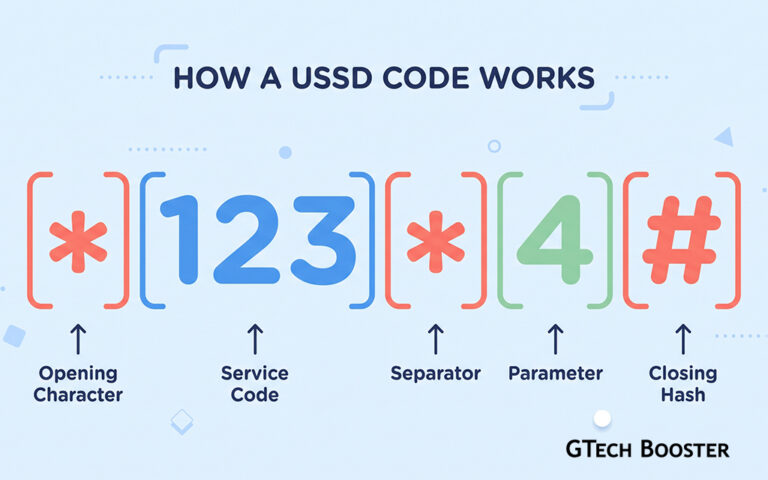
One guide describes the process as follows: dial *110#, select Self-Service, then pick Self-Reversal for Telecel to Telecel and voucher transactions, or Request Reversal for transfers to other networks, and finally enter your Telecel Cash PIN.
Self-Reversal for Telecel to Telecel and voucher transactions*110#
1
Dial the code and press call.
*110#2
select Self-Service
73
pick Self-Reversal for Telecel to Telecel and voucher transactions
24
enter your Telecel Cash PIN
•••• Self-Reversal for transfers to other networks*110#
1
Dial the code and press call.
*110#2
select Self-Service
73
pick Self-Reversal for Telecel to Telecel and voucher transactions
34
enter your Telecel Cash PIN
••••Why it matters which option you pick
Self-Reversal is meant for transfers between two Telecel wallets, while Request Reversal is for money you sent to another network. Choosing the wrong one is a common reason for a request to fail, so read the menu text carefully before you select.
Route two: the Telecel app and its assistant
If you prefer an app to a menu, the Telecel Play app has a built in chatbot named Teri that can handle reversals.
Steps in the app
The reported steps are to log in to the Telecel Play app, open the chatbot, choose Telecel Cash Self-Reversal, select the type of transaction, enter the number you used, enter the OTP sent to your phone and then pick the transaction ID you want to reverse. If the transaction does not appear in the list, you can type the transaction ID manually. You then receive an SMS confirming that the request was received. Remember that an OTP is a one time code meant only for you, so never read it out to anyone who contacts you.
- log in to the Telecel Play app
- open the chatbot
- choose Telecel Cash Self-Reversal
- select the type of transactionIf the transaction does not appear in the list, you can type the transaction ID manually
- enter the number you used
- enter the OTP sent to your phone OTP is a one time code meant only for you, so never read it out to anyone who contacts you.
- pick the transaction ID you want to reverseChoosing the wrong one is a common reason for a request to fail, so read the menu text carefully before you select.
- receive an SMS confirmationYou then receive an SMS confirming that the request was received
Route three: customer care and service centers
When the menu or app does not work, or the situation is complicated, speak to a person.
Calling customer care
Telecel customer care can be reached by dialling 100 from a Telecel line. Choose your language and then pressing 5 for Telecel Cash. Menu options can change, so listen to the current prompts. Tell the agent you sent money to the wrong number, quote the transaction ID and ask for a complaint reference number.
Calling Telecel customer care100
1
Dial 100 and press call.
1002
Choose your language
1 for English3
For Telecel Cash
Press 5Email as a backup
Email address for reversal requests is available if you have it, with a subject line such as Mobile Money Reversal Request and the full transaction details in the message. Treat this as a backup only, and check the address on Telecel’s official website before sending sensitive details.
Visiting a service center
If you want to be sure, visit a Telecel Cash service center with your Ghana Card, your phone and the confirmation message. Staff can verify you in person and log the case.
The information you need ready
Having these details at hand makes every route faster, and most of them are in your confirmation SMS:
- Your Telecel Cash number
- The wrong recipient’s number
- The transaction ID or reference number
- The exact amount sent
- The date and time of the transfer
Take a screenshot of the confirmation message as soon as you notice the mistake, in case the message is deleted or the phone is lost.
How long a reversal takes
Patience is part of the process, and it helps to know realistic timeframes. One guide says that Telecel to Telecel reversals typically take about 24 hours, while transfers to other networks can take up to five working days. Complaints handled through customer care may take longer, particularly if the receiver must be contacted. After submitting a request, note your reference number and follow up if you hear nothing within the stated period.
If the money was sent to another network
When you send from Telecel to another provider, two companies are involved, so the process is slower. Use the Request Reversal option in the menu or contact customer care, and expect the provider to coordinate with the other network. Contacting the receiver politely at the same time can speed things up, because their cooperation is often the deciding factor.
If your reversal request is denied
A denial is not always the end of the road. A guide on the process advises checking your details and submitting again, then contacting customer care to lodge a complaint if it fails. Common reasons for denial include a wrong transaction ID, a recipient who has already withdrawn or spent the money, or details that do not match the records.
Talk to the receiver
Call or message the number you sent to, explain clearly that it was a mistake, and give the amount and time. Keep your tone calm and friendly. Most people will cooperate once they understand, and you can ask them to confirm the mistake to Telecel so the reversal can be approved.
Escalate if the receiver refuses
If someone keeps money that was clearly sent by mistake, tell customer care that you tried to contact them, and keep your reference number. If it still is not resolved, you may report to the police or the relevant regulator and ask for guidance on the formal route. Always confirm official contacts through Telecel or the regulator’s website.
Watch out for scams after a wrong transfer
People who have just made a mistake are easy targets, so be careful about who you talk to.
Fake agents asking for your PIN
A genuine Telecel agent will never ask for your PIN or demand a fee to process a reversal. If someone on social media or the phone does, end the conversation. Use only the official numbers and channels from Telecel’s website, app or SIM pack.
The “I sent you money by mistake” trick
If a stranger says they sent you money wrongly and asks you to return it, do not send anything back on your own. Check your real balance and ask your provider to confirm the transaction before acting.
How to avoid a wrong transfer next time
A few small habits prevent most mistakes.
Check the name before you confirm
Read the recipient’s registered name on the confirmation screen and make sure it matches the person you intend to pay. If the name looks unfamiliar, cancel.
Test with a small amount
For a new recipient or a large payment, send a small amount first and ask the receiver to confirm it arrived. Then send the balance.
Save contacts clearly
Use full names and avoid saving two people with similar names. A tidy contact list reduces the chance of picking the wrong person.
Slow down
Take a few seconds to re-read the number and amount before entering your PIN. Those seconds are far cheaper than a reversal.
Quick action plan
- Do not send more money
- Screenshot the confirmation message and note the transaction ID
- Try self-reversal through the Telecel menu or the app straight away
- Call customer care on 100 if that does not work and get a reference number
- Contact the receiver politely
- Follow up using your reference number
- Visit a service centre with your Ghana Card if there is no progress
Wrapping Up
A wrong Telecel Cash transfer is stressful, but it is often fixable if you act at once, use the official self-reversal tools and keep good records. Never share your PIN or OTP, be cautious of anyone offering shortcuts, and build the habit of checking the name and number before every confirmation. Procedures, codes and timelines can change, so confirm the current steps with Telecel before you rely on them.













Conversation
Login to comment.
Log In / Register