Everything You Need to Know About Telecel Ghana’s Flexi Bundles
Telecel actually uses the Flexi name across two related but distinct products, one aimed at everyday mobile data customers and one aimed at fixed broadband customers.

Telecel Ghana, the network formerly known as Vodafone Ghana before its 2024 rebrand, offers a product called Flexi that comes up constantly in conversations about affordable, customizable data. Worth knowing upfront: Telecel actually uses the Flexi name across two related but distinct products, one aimed at everyday mobile data customers and one aimed at fixed broadband customers. This guide breaks down both clearly, since mixing them up is an easy mistake to make given the shared branding.
Mobile Flexi: Buy Any Data Amount You Want
The Flexi bundle most everyday Telecel mobile customers will interact with is a data offer built around a single, simple idea: rather than choosing from a fixed list of pre-set data package sizes, you tell the network how much money you want to spend, and it gives you a corresponding data allowance.
How it actually works
When you select Flexi through Telecel’s data purchase menu, you are prompted to input any desired amount between GHS 0.02 and GHS 999.99. Whatever figure you enter becomes the price of your data bundle, converted into a data allowance at Telecel’s standard Flexi rate. This gives customers a genuinely flexible way to top up exactly as much or as little data as they can afford at any given moment, rather than being boxed into whichever pre-set package happens to be closest to their budget.
Expiry or no-expiry, your choice
After entering your amount, Telecel gives you a further choice: an expiring package, which runs for a set duration ranging from daily up to monthly depending on the size purchased, or a non-expiry package, marketed by Telecel as Flexi Non-Expiry, which removes the worry of data disappearing unused after a set window. Telecel’s own messaging around the non-expiry option leans directly into this benefit, promoting it as a way to stop worrying about data expiration entirely and simply enjoy constant, uninterrupted connectivity for as long as the data itself lasts.
How to subscribe
There are a few ways to buy a Mobile Flexi data bundle:
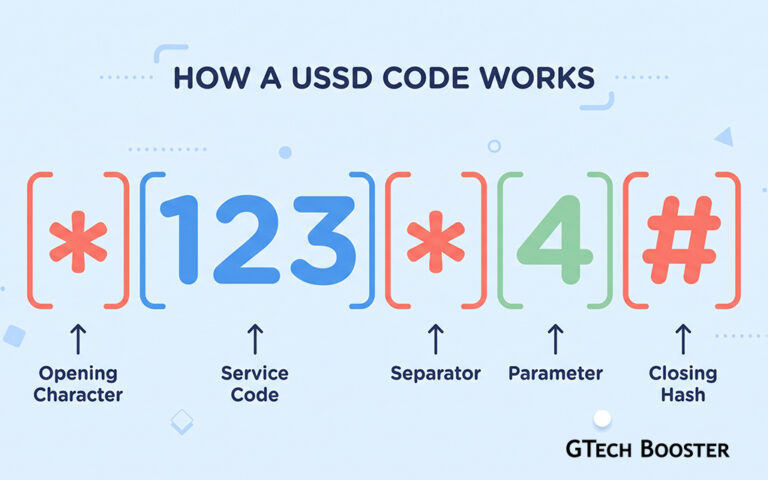
- Dial *700#, select “Buy Data,” choose the Flexi option, enter your preferred amount, select your package, either expiry or non-expiry, and then choose your payment method, either airtime or Telecel Cash.
- Use the Telecel Play app, which walks through the same steps in a more visual interface and also lets you manage your balance and past purchases in one place.
Flexi data bundle
*700#
Choose the Flexi option, enter your preferred amount, select your package, either expiry or non-expiry, and then choose your payment method, either airtime or Telecel Cash.
Checking your balance
Once subscribed, you can check your remaining data and account balance at any time by dialing *124#, which will show your primary account balance together with your current bundle allocations.
Balance Check
*124#
Which will show your primary account balance together with your current bundle allocations.
What happens when it runs out
Once all of your data allocation is used up, your data access is blocked by default unless you have specifically enabled pay-as-you-go browsing. This PAYG option lets you keep browsing at an out-of-bundle rate of 11.5 pesewas per megabyte rather than being cut off entirely. PAYG browsing can be turned on or off at any time through the short code *700#, giving you direct control over whether running out of data means a hard stop or a more expensive but uninterrupted fallback.
Broadband Flexi: A Separate Product for Fixed Broadband Customers
Confusingly, Telecel also uses the Flexi name for a completely different product aimed specifically at customers with a Telecel Fixed Broadband account rather than an ordinary mobile SIM. This version is less about topping up mobile data and more about giving broadband customers an all-in-one flexible package covering high-speed internet, mobile minutes, and landline calling in a single purchase.
What it includes
Telecel positions the Broadband Flexi Offer as an all-in-one solution, combining high-speed internet access with mobile and landline calling minutes so customers can reach loved ones on any network alongside their internet connection, all bundled into whatever custom amount they choose to spend, again anywhere within the GHS 0.02 to GHS 999.99 range used across Telecel’s Flexi products.
How to subscribe
For Broadband Flexi specifically:
- *Dial 900# on your Telecel mobile number, select your broadband account, then choose option 1 for Fixed Broadband, option 1 again for Buy Bundle, then option 1 for Flexi Bundles, enter your preferred amount, and follow the prompts to complete your purchase.
- Use the Telecel Play app or the Telecel Play web login, which offers the same subscription flow through a standard account interface rather than USSD menus.
Rollover and priority rules worth understanding
Broadband Flexi carries a few specific behaviors that are worth knowing before you subscribe, since they affect how your data and minutes actually get used:
- Most recent bundle takes priority.
If you subscribe to a new Flexi bundle while a previous one is still active, the most recently subscribed bundle takes usage priority regardless of bundle type, meaning your newest purchase gets drawn down first. - Data can roll over, under specific conditions.
Your data balance will roll over if you renew your subscription before the expiry date of your previous one. However, you need to resubscribe within the 30-day validity window of your prior subscription to remain eligible for that rollover, and once you do roll over, the newly subscribed bundle’s data still takes priority over whatever was carried forward. - Mobile and landline minutes do not roll over.
Only the data portion of a Flexi 30-Day bundle is eligible for rollover. Any allocated unlimited landline minutes, mobile voice minutes, and SMS allowances all carry a fixed 30-day validity and do not carry forward if unused. - A fair usage policy applies to landline minutes.
Unlimited on-net landline minutes included in these bundles are capped under a fair usage policy of 6,000 minutes. - Data can be moved to a linked mobile number.
Telecel allows Fixed Broadband Flexi customers to link their broadband account to a mobile number and move data across to use on the go, a feature Telecel has specifically promoted as solving the common frustration of fixed broadband data being stuck at home. Data moved this way carries the same validity as the Flexi 30-Day bundle, though only active core bundle data qualifies for this transfer. Bonus data and rolled-over data specifically cannot be moved to mobile. - Some add-ons are compatible, others are not.
Customers on the Flexi 30-Day bundle are eligible to layer on specific supplementary bundles, including Unlimited Daily, Unlimited Weekend, Unlimited Holiday, Mini Basic, and Mini Pro. However, Flexi customers are not eligible to subscribe to the separate Too Moorch bundle or the Broadband Extra Bolt-On tiers, Lite, Extra, or Super, which are reserved for customers on other specific core plans instead.
Which Flexi Is Right for You
If you are an ordinary Telecel mobile subscriber simply looking to top up data in whatever amount suits your budget that day, with the option to avoid expiry pressure entirely, Mobile Flexi through *700# is almost certainly the product you want. It is quick, requires no commitment to a fixed package size, and gives you direct control over how your leftover data behaves once it runs out through the PAYG toggle.
If you are a Telecel Fixed Broadband customer looking for a flexible way to combine internet, mobile minutes, and landline calling into a custom-sized package, with the added ability to move some of that data over to your phone when you are away from home, Broadband Flexi through *900# is the more relevant option, though it comes with a more involved set of rules around rollover, priority, and add-on compatibility that are worth reading through carefully before committing to a specific size.
A Quick Note on Accuracy
Telecel periodically adjusts pricing, fair usage limits, and eligible add-on combinations across both Flexi products, so it is worth confirming current specifics directly through *700# or *900#, the Telecel Play app, or Telecel’s own customer support channels before making a purchase, particularly if you are relying on a specific data-per-cedi rate or add-on eligibility detail for planning purposes.
More Information ℹ










Conversation
Login to comment.
Log In / Register