Inside the new era of digital deception

Cybersecurity has changed dramatically. The threats facing internet users in 2026 are no longer limited to obvious malware, suspicious downloads, or poorly secured passwords. Criminals are increasingly using artificial intelligence, social engineering, stolen credentials, and increasingly convincing impersonation techniques to target people and businesses.
The most dangerous attacks often do not look dangerous at all. A message can appear to come from your bank. A voice can sound like someone you know. A website can look almost identical to a legitimate service. In many cases, the weakest point is no longer the technology itself, but the person interacting with it.
Here are some of the biggest cybersecurity threats to watch in 2026 and the practical steps that can reduce your exposure.
1. AI-Powered Phishing
Phishing is nothing new, but artificial intelligence is making it considerably harder to recognize.
Attackers can now generate convincing emails, messages, websites, and social media posts with fewer grammatical mistakes and far more believable details. AI can also help criminals personalize messages based on information they find about their targets online.
The result is a phishing message that may look completely legitimate.
How to stay safe: Never trust a message simply because it looks professional. Avoid clicking unexpected links, verify requests through an independent channel, and go directly to the official website or app when accessing sensitive accounts.
2. Deepfakes and voice scams
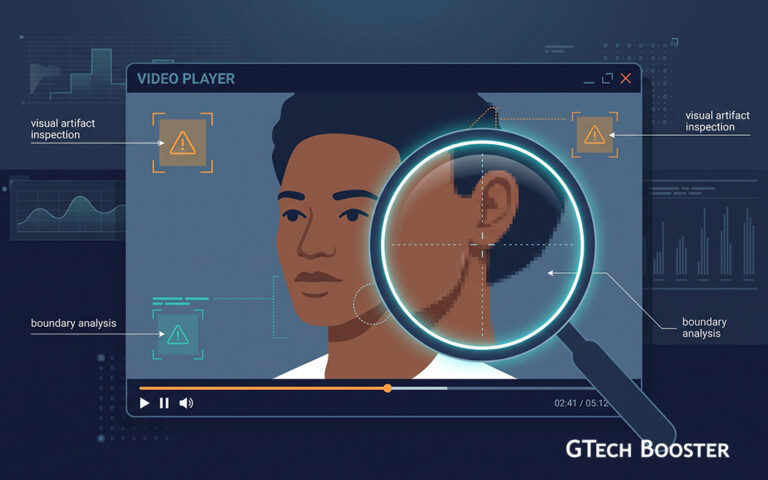
AI-generated audio and video have created another problem: seeing or hearing someone is no longer enough to prove that person is actually communicating with you.
Criminals can use manipulated video or cloned voices to impersonate executives, relatives, public figures, or other trusted individuals. A scammer might create an urgent request for money or confidential information while appearing to come from someone you know.
How to stay safe: Treat unusual requests with skepticism, particularly those involving money, passwords, verification codes, or confidential information. If something feels unusual, contact the person through a separate communication channel.
3. Stolen passwords and account takeovers
Passwords remain one of the easiest ways for attackers to gain access to valuable accounts. Once criminals obtain a password through phishing, data breaches, credential stuffing, or malware, they may attempt to use it across multiple services.
Reusing the same password makes the problem significantly worse. One compromised account can become the key to several others.
How to stay safe: Use a different strong password for every important account and store them in a reputable password manager. Enable multifactor authentication wherever possible, preferably using an authenticator app or security key rather than relying solely on SMS codes.
4. Ransomware
Ransomware remains a major threat to organizations and individuals. It works by encrypting files or systems and demanding payment for their release. Modern campaigns may also steal sensitive information before encrypting systems, giving attackers another way to pressure victims.
Businesses are particularly attractive targets because disrupting their operations can create enormous financial pressure.
How to stay safe: Keep important systems updated, use reputable security software, restrict unnecessary access to sensitive systems, and maintain offline or otherwise protected backups. A backup is only useful if attackers cannot simply encrypt or delete it too.
5. Malicious apps and fake software
Not every threat arrives through a suspicious website. Attackers can disguise malicious software as useful applications, browser extensions, updates, or legitimate-looking tools.
A malicious app may attempt to steal credentials, monitor activity, access sensitive information, or deliver additional malware.
How to stay safe: Download applications from trusted sources, check the developer before installing unfamiliar software, review permissions carefully, and keep your operating system and applications updated.
6. Public Wi-Fi and unsecured networks
Public Wi-Fi can be convenient, but users should not automatically assume that every network is trustworthy. Attackers can create deceptive hotspots or exploit poorly secured networks to intercept traffic or trick users into visiting malicious websites.
Modern encryption protects much of the data transmitted through reputable services, but careless behaviour on an unfamiliar network can still expose you to phishing and other attacks.
How to stay safe: Avoid accessing highly sensitive accounts on unfamiliar networks when possible. Use HTTPS connections, keep your device’s software updated, and consider using a reputable VPN when appropriate.
7. Data breaches and the information they expose
A company does not have to be hacked because of something you personally did for your information to end up in a criminal’s hands. Large data breaches can expose names, email addresses, phone numbers, passwords, financial information, and other personal details.
Once exposed, this information can be used for phishing, identity theft, account takeover attempts, and targeted scams.
How to stay safe: Use unique passwords, enable multi-factor authentication, monitor important accounts for unusual activity, and avoid providing companies with unnecessary personal information when it is not required.
8. Social engineering
Some of the most effective cyberattacks do not exploit software vulnerabilities at all. They exploit human psychology.
Attackers may create urgency, fear, authority, or curiosity to persuade someone to reveal information or perform an action they normally would not take. A message claiming that an account will be closed in ten minutes can be more effective than a sophisticated piece of malware.
How to stay safe: Slow down when a message demands immediate action. Verify unexpected requests, especially when they involve payments, credentials, or sensitive information. Urgency is often part of the attack.
9. Attacks on internet-connected devices
Smart cameras, routers, televisions, home assistants, watches, and other connected devices have expanded the digital attack surface inside homes and businesses.
Devices that use default credentials, outdated software, or weak security settings can become entry points for attackers.
How to stay safe: Change default passwords, install firmware updates, disable features you do not need, and replace devices that no longer receive security updates.
10. The growing attack surface of AI
AI is not only being used by attackers. Businesses and individuals are rapidly integrating AI systems into everyday workflows, creating new security and privacy questions.
Sensitive information entered into an AI service can potentially create risks depending on how that system handles, stores, or processes data. Organizations also have to consider malicious prompts, compromised AI tools, and unauthorized access.
How to stay safe: Understand the privacy policies and security controls of the AI services you use. Avoid entering passwords, financial information, confidential business documents, or other highly sensitive data unless you know exactly how the service handles it.
Staying safe in a more complicated digital world
There is no single setting that makes someone immune to cybercrime. Good cybersecurity is a collection of habits that work together: strong and unique passwords, multi-factor authentication, timely software updates, secure backups, careful handling of links and attachments, and a healthy skepticism toward unexpected requests.
Most importantly, do not confuse familiarity with safety. A message can come from a familiar account. A website can look authentic. A voice can sound exactly like someone you know. Technology has made deception more convincing, which makes verification more important than ever.
In 2026, cybersecurity is increasingly about recognizing when something deserves a second look. A few seconds of caution can be far less costly than recovering a compromised account, stolen identity, or lost data.
More Information ℹ






Conversation
Login to comment.
Log In / Register