WhatsApp username reservation ongoing – here is how to reserve yours
WhatsApp has opened username reservations ahead of the full rollout of one of its biggest privacy updates in years.
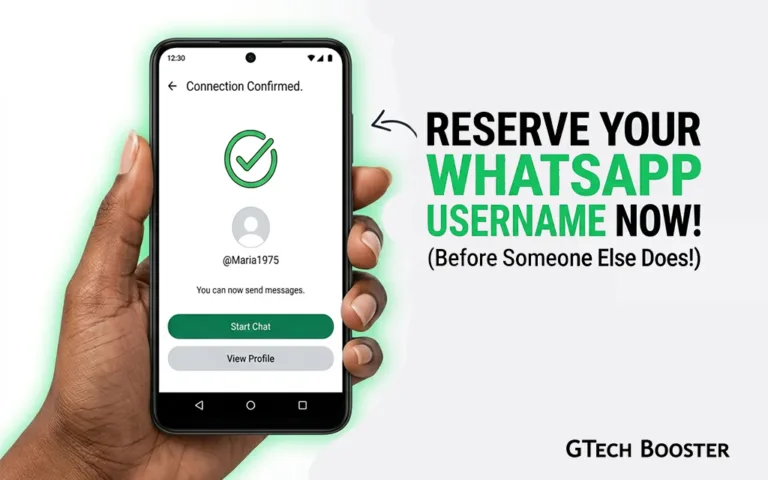
If you have been waiting for the moment you can ditch sharing your phone number with every new contact, that moment is here, at least in part. You cannot start using your username just yet, but you can lock in the name you want before someone else claims it. Here is everything you need to know, including the step-by-step process to reserve your username today.
Why You Should Reserve Now and Not Wait
WhatsApp has more than three billion active users worldwide. Common names, personal handles, business names, and professional identifiers are going to be claimed fast. WhatsApp itself has acknowledged this, saying it opened reservations early precisely because “a lot of names overlap” and it wants to give users a fair chance to secure the username they want before the feature goes fully live.
Once the full rollout begins in your country, first come, first served is the only rule. There are no verified badges or priority claims. If you want your name, your brand handle, or your preferred identifier, the time to act is now.
What You Need Before You Start
Before you begin the reservation process, make sure you have the following in place.
The latest version of WhatsApp. Username reservation is only available on updated versions of the app. If you are running an older version, the option will not appear in your settings no matter how long you look for it. Update the app from the Google Play Store or Apple App Store before proceeding.
A decision on your username. WhatsApp usernames follow strict rules, so it helps to know what you want before you open the settings. Read the rules below before you start, and have a first choice and a backup ready in case your preferred name is already taken.
The Username Rules You Must Know
WhatsApp has set clear requirements for what a username can and cannot be. Take note of these before you decide on yours.
Length.
Your username must be between three and thirty-five characters long. Anything shorter than three characters will be rejected. Anything longer than thirty-five will not be accepted.
Permitted characters.
Usernames may only contain lowercase letters (a to z), numbers (0 to 9), periods, and underscores. Capital letters are not permitted. Spaces are not permitted. Special characters such as hyphens, exclamation marks, or at signs are not permitted.
At least one letter required.
A username cannot consist entirely of numbers. It must contain at least one letter.
No web-style beginnings or endings.
Usernames cannot begin with “www.” and cannot end with internet domain extensions such as “.com”, “.net”, “.org”, or similar. This rule exists to prevent phishing and impersonation.
Uniqueness
Every username on WhatsApp must be unique across the entire platform. If the name you want is already taken, you will need to try a variation.
Step-by-Step: How to Reserve Your WhatsApp Username
Follow these steps exactly. The process takes less than two minutes.
Step 1: Update WhatsApp to the latest version.
Open the Google Play Store (Android) or the Apple App Store (iOS). Search for WhatsApp and tap Update if an update is available. If no update is showing, you are already on the latest version.
Step 2: Open WhatsApp on your phone.
Once updated, open the app as you normally would.
Step 3: Go to Settings.
On Android, tap the three-dot menu in the top right corner and select Settings. On iPhone, tap the Settings tab at the bottom right of the screen.
Step 4: Tap on Account.
Inside Settings, tap the Account option. This is where WhatsApp manages your personal account details, privacy settings, and now, your username.
Step 5: Tap on Username.
You will see a new Username option inside the Account menu. Tap it.
Step 6: Enter your chosen username.
Type in the username you want. As you type, WhatsApp will check in real time whether the name is available. If it is taken, you will be prompted to try something different.
Step 7: Confirm and save.
Once you find an available username that meets the rules, confirm and save it. Your username is now reserved.
Step 8: Set an optional username key.
WhatsApp is also offering an optional username key as an additional privacy layer. This acts as a second filter: even if someone knows your exact username, the key gives you an extra level of control over who can use it to contact you. Setting one is recommended, particularly if you are concerned about unwanted contact.
Tips for Choosing the Right Username
A few practical suggestions before you commit.
Keep it recognisable. If you are reserving a username for personal use, choose something that the people you actually want to reach will recognise as you. Your name, a nickname, or a combination of both tends to work well.
Match your other handles if you are a business or creator. WhatsApp has specifically noted that businesses and creators can link their WhatsApp username to their existing Instagram or Facebook profiles. If you already have a handle that represents your brand across platforms, securing the same name on WhatsApp keeps your identity consistent and your audience confident they are reaching the right account.
Use underscores or periods to separate words. Since spaces are not allowed, a username like john.mensah or john_mensah is far more readable than johnmensah when your name contains multiple words.
Avoid dates or numbers that will date you. A username like kwame1989 or abena_july2026 may feel specific today but can become awkward later. Where possible, keep your username timeless.
Have a backup ready. If your first choice is taken, which is likely for common names, having two or three variations prepared saves you the frustration of improvising on the spot.
What Happens After You Reserve Your Username
Reserving your username now secures your claim, but it does not activate the feature immediately. WhatsApp is rolling out username functionality gradually by country. Once it becomes available in your region, you will receive an in-app notification from WhatsApp letting you know you can begin using your reserved username to connect with new contacts without sharing your phone number.
At that point, any new contact can message you by searching your exact username. There is no public directory, and WhatsApp will not surface your username in suggestions. A person must type your exact username to find you, which means you retain full control over who gets hold of it in the first place.
Your existing contacts who already have your phone number will not be affected by the change. The username applies to new connections, not existing ones.
WhatsApp’s username system is a genuine step forward for personal privacy and professional branding on the platform. Whether you are an individual tired of sharing your number with everyone you meet, a freelancer who wants clients to reach you without holding your personal digits, or a business building a recognisable presence across messaging channels, the username is a meaningful tool. The reservation window is open now. The full feature is coming. The names are going fast. Go reserve yours.
More Information ℹ
















Conversation
Login to comment.
Log In / Register