
Quick Fixes for DStv “No Signal” Problems
Experiencing a “No Signal” message on your DStv can be frustrating, but in most cases, it’s something you can troubleshoot yourself.
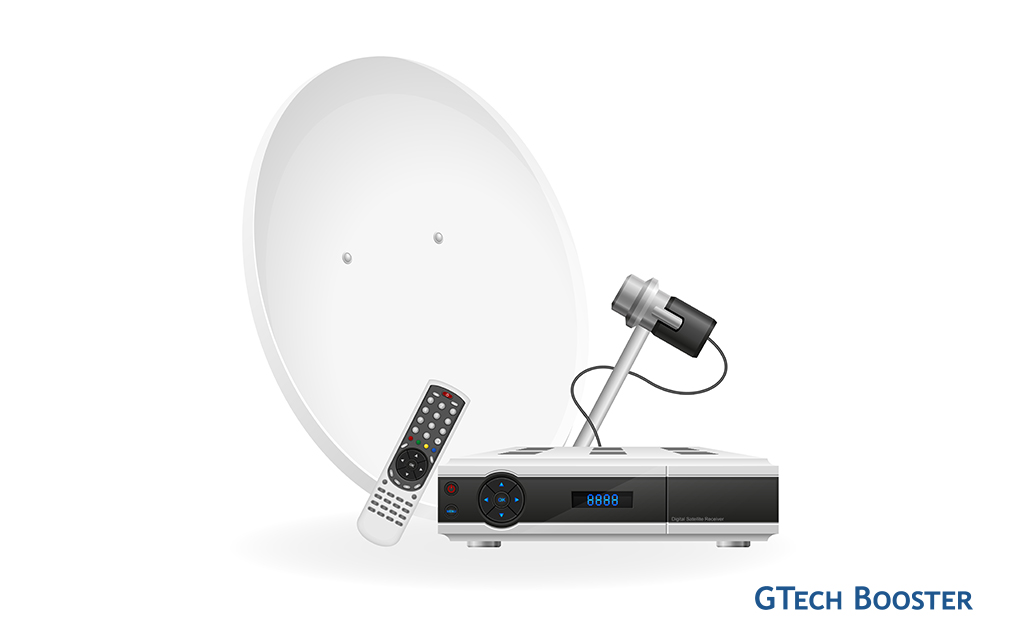
When your DStv shows “No signal” or error E48-32, it usually means the decoder is not receiving a strong enough signal from the satellite dish, not that your subscription has expired. Common causes are a misaligned dish, faulty or loose cables, a bad LNB, or severe weather interference. Experiencing a “No Signal” message on your DStv can be frustrating, but in most cases, it’s something you can troubleshoot yourself. Take these simple checks first before calling a technician
1. Check Your Connections
Contents

Ensure all cables between your dish, decoder, and TV are securely connected. A loose or damaged cable is a common cause of signal loss. Also, inspect the connectors for corrosion or bent pins.
- Make sure the coaxial cable from the dish is firmly connected to the decoder’s LNB IN (or Unicable IN) and at the dish side.
- Look for loose F-connectors, corrosion, or physical damage to the cable; replace damaged sections if needed.
2. Inspect the Dish Alignment
Even a slight shift in the dish can cause signal loss. Check if the dish is firmly mounted and facing the correct direction. If it has been moved by wind or accidentally knocked, it may need realignment.
3. Verify the Decoder Settings
- Go to your decoder menu and check that the correct satellite (usually DStv 1E or 1W) is selected.
- Perform a signal strength check in the settings. Low signal strength may indicate an alignment or cable issue.
4. Check for Obstructions
Ensure there are no new obstacles (trees, buildings, or other structures) blocking the line of sight between your dish and the satellite. Even partial obstruction can cause signal interruptions.
5. Power Cycle Your Decoder
Turn off your decoder, unplug it from the power source, wait 30 seconds, and plug it back in. This simple reset often resolves temporary glitches.

- Switch the decoder off at the wall, unplug it for 10–15 seconds, then plug it back in and let it boot fully.
- This clears minor software glitches that can show as “no signal” or freezing channels.
6. Weather Considerations
Heavy rain or storms can temporarily affect signal reception. If the “No Signal” message appears during bad weather, wait until conditions improve.
- Heavy rain, storms, or thick clouds can temporarily block the signal; the picture usually returns when the weather improves.
- Make sure no new obstruction (tree branches, water tank, building) is blocking the front of the dish
Your decoder has a built-in signal meter that helps you see if the dish and cabling are okay.
- Go to Menu → Settings → Satellite/Satellite Settings → Signal Strength/Signal Status (wording varies by model).
- You’ll see Signal Strength and Signal Quality. For stable viewing, strength is often around 80%+ and quality around 75%+; if quality is low or zero, the dish, LNB, or cable is likely at fault.
- If readings jump up when you gently move or touch the cable at the back, the connector is probably loose or faulty.

Final check before reaching out to a technician
If these checks don’t fix it, the issue is usually one of these:
- Misaligned dish: Wind or someone bumping the dish can shift it a few degrees, which is enough to cause E48-32 and “no signal”. Realignment with a meter normally fixes this.
- Faulty or waterlogged LNB: The LNB (the small head on the dish arm) can crack or let in water, especially in coastal or very sunny areas; replacement is the cure.
- Damaged coaxial cable: Long runs exposed to sun and rain can degrade, causing intermittent or weak signal and pixelation before complete loss.
- Wrong decoder LNB settings: If someone changed LNB type/frequencies in the installation menu (e.g., from Universal to the wrong option), the decoder may stop locking onto the signal until settings are corrected or reset to default.
When to call a technician
You should get a qualified installer or DStv technician to help if:
- Signal Strength or Quality stays very low (for example under 50%) or shows 0% despite reboots and cable checks.
- The dish looks bent, loose on the bracket, or clearly out of its usual direction.
- The LNB or connectors are visibly cracked, rusted, or full of water.
- You are not comfortable climbing or working near the dish for safety reasons.
If you’ve checked all the above and the problem persists, contact DStv customer service. There may be an issue with your decoder, smart card, or the satellite service in your area that requires professional assistance.
More Information ℹ

Focal Point











Be polite and constructive with your point.