
The importance of the Canon Licence Access Number for our Canon Printer

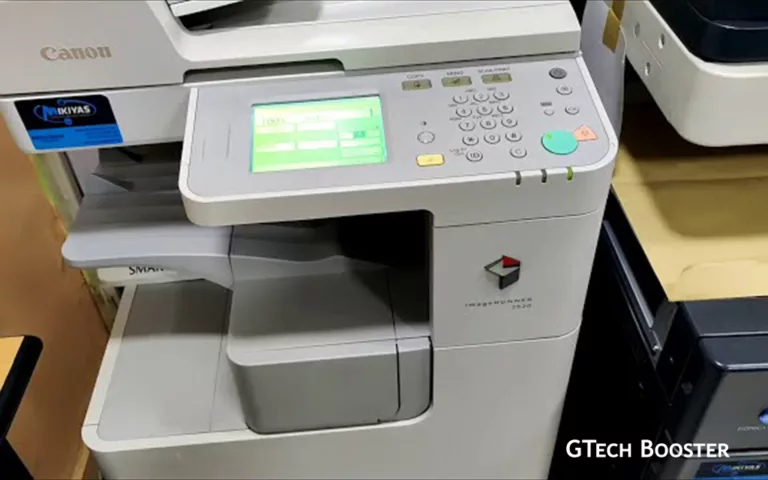
The Canon Licence Access Number is a unique alphanumeric code provided on the License Access Number Certificate included in your Canon product package. This number is essential for obtaining a license key to activate certain functions or system options on your Canon device. A Canon license access key is required to activate certain functions or system options on Canon devices, such as imageRUNNER models or MEAP applications.

It is printed on the License Access Number Certificate that comes with your Canon device or software package. You need this number along with your device’s serial number (which can be found by pressing the Counter Check button on the device’s control panel) to obtain a license key from Canon’s License Management System at http://www.canon.com/lms/license/.
The license key obtained using this number must be registered on the device to activate licensed features. For MEAP applications, the License Access Number is also required to generate a license file (.lic) through Canon’s license management portal.
If you lose your License Access Number or license key, you typically need to contact Canon support or your reseller for assistance, as it is not retrievable directly from the device.
How to use the Licence Access Number:
- Access the Canon License Management System online.
- Enter the Licence Access Number and device serial number.
- Follow the instructions to obtain the license key or license file.
- Register the license key on your Canon device via its control panel.
This process ensures that only authorized features are activated on your Canon equipment.
How to To obtain a Canon License Access Number
To obtain a Canon License Access Number, you typically need to follow these steps:
- Locate the License Access Number Certificate
This certificate is included in the package of the system option or MEAP application you are trying to install. - Device Serial Number
You will also need the device serial number, which can be found by pressing the “Counter Check” button on the control panel of your Canon device. - Access the License Management System
Go to the Canon License Management System website at www.canon.com/lms/license/. - Enter Required Information
You will need to input the License Access Number and the Device Serial Number to obtain your license key or license file. - Register the License
Once you have the license key, you can register it on your Canon device through the system settings.
The License Access Number is typically found on a certificate included in the package when you purchase the license or device, and it is essential for managing licenses for Canon MEAP applications, Universal Login Manager, and other software tied to Canon hardware. Without this number, you cannot complete the license registration process required to use certain advanced features on your Canon equipment.
More Information ℹ


Gabby







Be polite and constructive with your point.