
The difference between temporarily closed and closed dates on Google My Business (GMB)
A complete profile improves visibility in "near me" searches and map packs, helping attract more customers without paid ads.

Google My Business, now known as Google Business Profile, is a free tool from Google that helps businesses manage their online presence across Google Search and Maps.

It allows owners to create and update listings with details like business name, address, hours, photos, and services, making it easier for customers to find and interact with local businesses.
Features GMB offers to businesses
- Respond to customer reviews and post updates or promotions directly on your profile.
- View insights on how people search for your business, including search terms and actions taken.
- Boost local SEO by optimizing for relevance, distance, and prominence in search results.
Temporarily Closed vs. Closed Dates on Google My Business (GMB)
Temporarily closed on GMB marks a business as shut down for a limited time, typically over 7 consecutive days (like off-season or renovations), signaling to customers when it plans to reopen. This differs from “closed dates,” which refer to special hours set for shorter periods (7 days or less) or specific dates with adjusted or no operations.
| Feature | Temporarily Closed | Closed Dates (Special Hours) |
|---|---|---|
| Duration | 7+ days, indefinite, or seasonal | 7 days or less, or specific events |
| Purpose | Full temporary shutdown notice | Modified hours or single-day closures (e.g., holidays) |
| Visibility | Shows “Temporarily closed” label; still ranks in search | Day-by-day schedule visible; no broad label |
| Setup | Toggle in profile info | Add dates/hours manually |
Temporarily closed on GMB marks a business as with a prominent red banner on your profile.
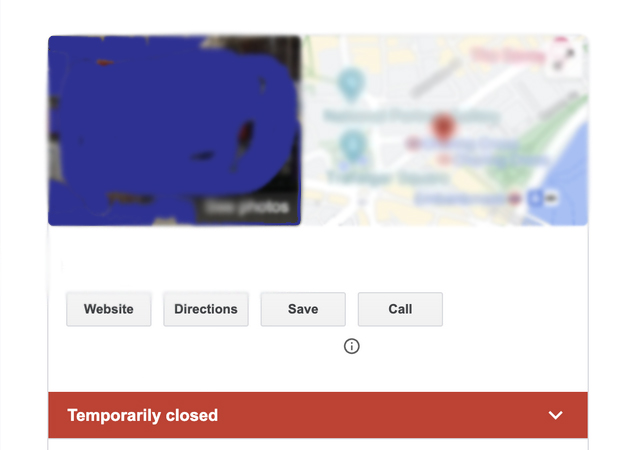
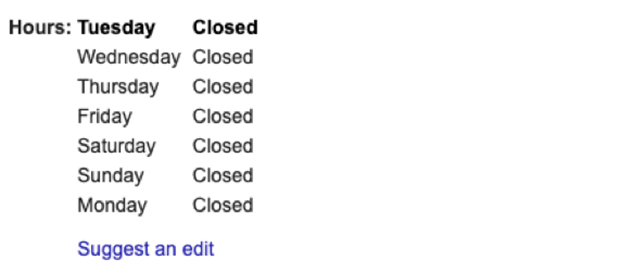
Closed Date marks a specific date as “Closed” status for the date.
A complete profile improves visibility in “near me” searches and map packs, helping attract more customers without paid ads. It’s essential for local businesses, freelancers, and service providers to claim and verify their listing.
Use temporarily closed for extended pauses to clearly inform users and avoid confusion. For brief changes, opt for special hours to provide exact reopening details without a stark “closed” status. Google may notify owners of status changes from external updates.
More Information ℹ

Gabby














Be polite and constructive with your point.